Skip to content
lightbulb
MacFinesse byline
  • Home
  • Blog
  • Testimonials
  • Resources
    • Tips
    • Updates Page
    • M1-4 Macs
    • Apple Support Links
  • Contact
  • Home
  • Blog
  • Testimonials
  • Resources
    • Tips
    • Updates Page
    • M1-4 Macs
    • Apple Support Links
  • Contact
  • (719) 238-5695

The Four Computer Dreads – Part 3: Phishing

Phishing is the attempt to obtain sensitive information such as usernames, passwords, and credit card details (and money), often for malicious reasons, by disguising as


Recent Posts

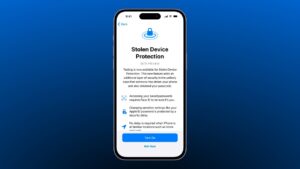
Apple turns on iPhone Stolen Device Protection in iOS 26.4

Intel vs. M1 Mac laptop

The End of an Era for Intel Macs

google Mail

Using the new “Manage Subscriptions” feature in Google Mail

macOS-Tahoe

Should You Upgrade to MacOS Tahoe 26? 

iOS 26

Should You Upgrade to iOS 26?

mvno image

Time to Switch to an MVNO?

Robocalls

How to Stop Robocalls for Good

ICEBlock for iPhone

ICEBlock for iPhone

QR_code_for_mobile_English_Wikipedia

Share Wi-Fi Network Passwords Using QR Codes

Categories
  • iOS (39)
  • Mac OS (41)
  • Security (23)
  • Tutorials (30)

Helpful Links

MacUpdate – The place to find software updates for any Mac app.

Places to buy a used or refurbished Mac:

  • Apple Certified Refurbished
  • MacOfAllTrades
  • Powermax
  • Amazon
  • MacSales
  • BackMarket

If you want to sell your Mac or iOS device:

  • OWC’s SellYourMac
  • Gazelle

Apple Support – To check if your device is covered under AppleCare, check here.

For a comprehensive listing of Apple links, check here.

Make it work • Make it easy • Make it fast!

Copyright © 2018 MacFinesse.com